 ClipQuil
Three keys. One paste.
Everything it does. Nothing it doesn't.
Clipboard-first
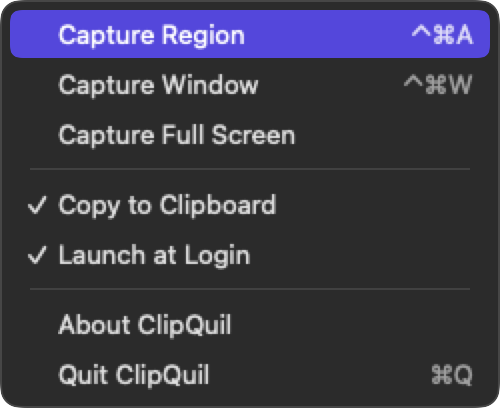
Captures land on your clipboard by default because that's where screenshots actually go. Prefer files? Flip one switch and they save to ~/Pictures/ClipQuil, or any folder you pick.
Window detection
Hover to highlight any window and grab it in one click, cleanly cropped.
Global hotkeys
⌃⌘A for a region, ⌃⌘W for a window. Works no matter what app you're in.
Starts with your Mac
Optional launch at login. It waits quietly in the menu bar until you need it.
Native and tiny
Built with Swift and SwiftUI. Universal binary for Apple Silicon and Intel. No Electron, no runtime, no lag.
Private by design
No account. No cloud. No analytics. Your screenshots never leave your Mac.
Simple on purpose
ClipQuil isn't a screenshot suite. It doesn't want you to sign in, sync to a library, or learn an editor. It was built to do one small thing perfectly: get a piece of your screen onto your clipboard in the least time possible, then get out of your way.
If you need annotations, scrolling capture, and cloud sharing, there are excellent big tools for that. If you just want to capture and paste, this is the one.